


HamGeek T531 Digital Equalizer EQ Noise Reduction with Spectrum Display 31 Bands For KTV Stage Performance
Couldn't load pickup availability

Features:
- Standard 1U thin and light rack
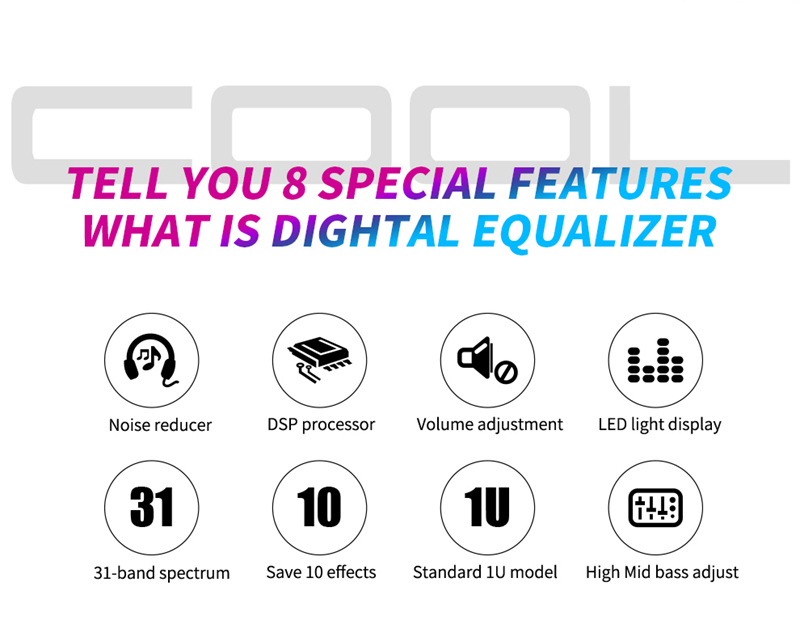
- Dual-channel synchronous control 31-band DSP processing equalizer
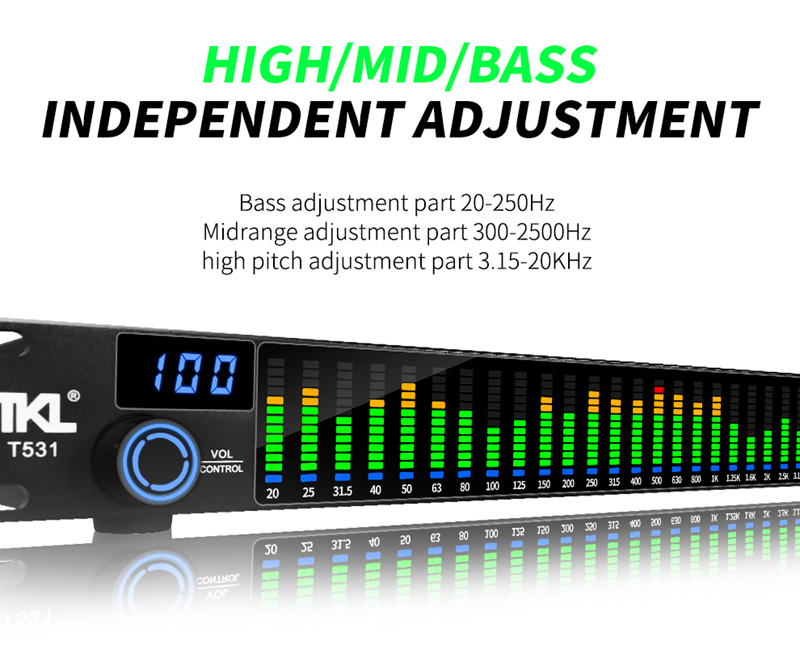
- Each section with LED spectrum indication, real-time 31-band frequency point absolute accuracy 99%
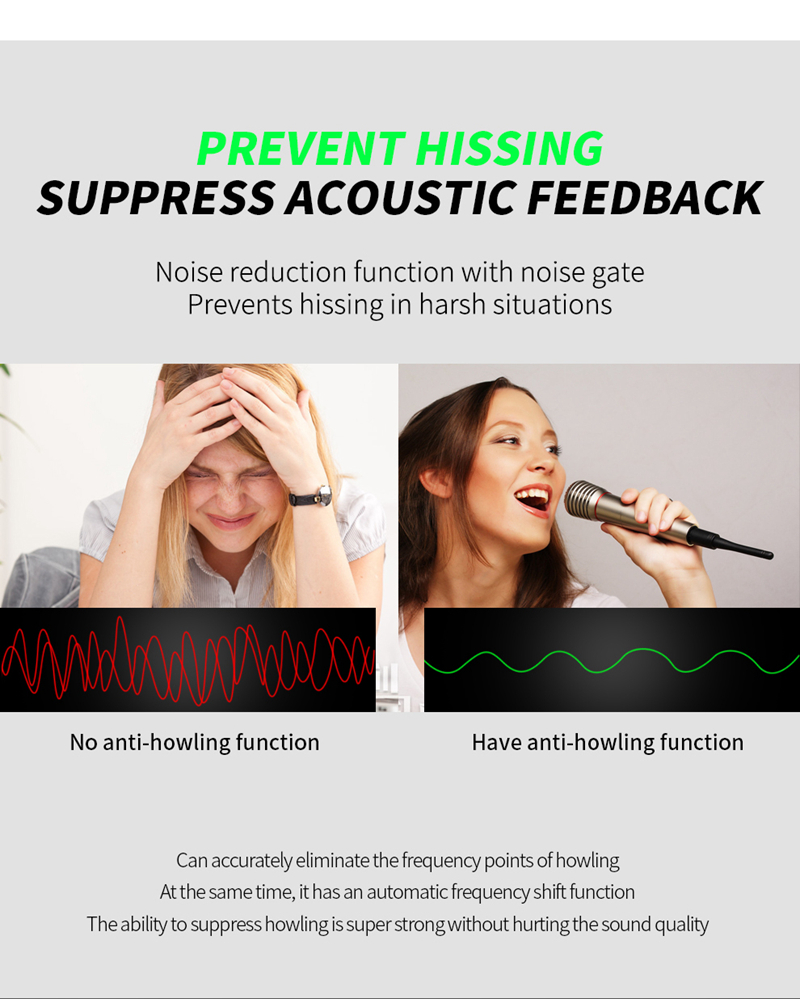
- With noise reduction function of cutting-edge noise gate
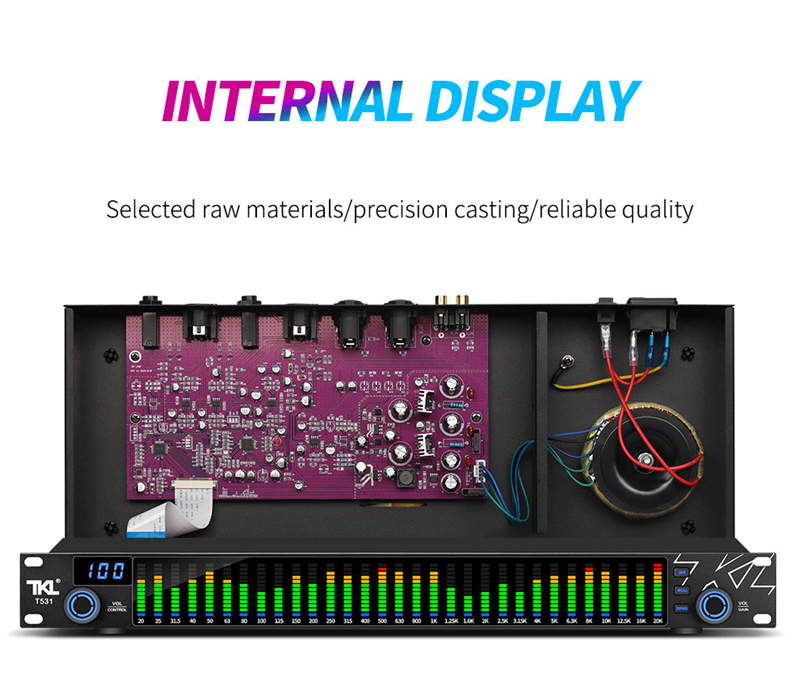
- The input and output interface supports multiple types: TRS6.35/RCA/XLR XLR balanced interface
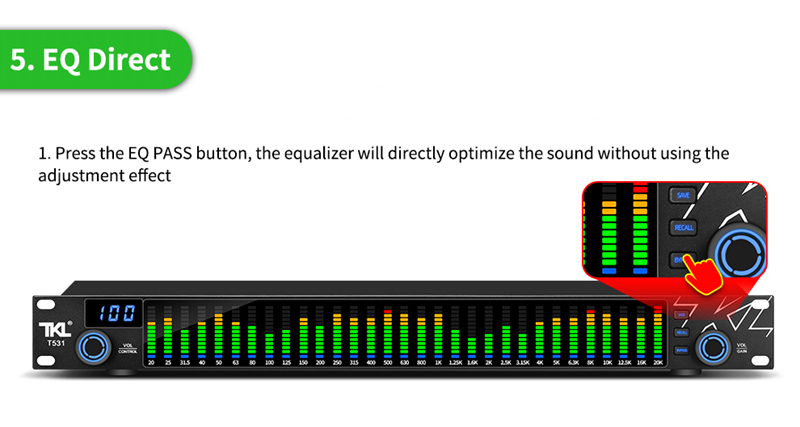
- EQ bypass:bypass the graphic equalizer in the signal path
- With save and recall function, 10 modes can be saved and recalled
Specifications:
- Power supply: 220V /110V
- Sound transmission gain: -1dB or 11dB
- Line input impedance: 15KΩ
- Line output impedance: 300Ω
- Frequency response: 20Hz-20kHz
- Signal to noise ratio: 82dB
- Power consumption: 30W
Package Included:
- 1 x Set of HamGeek Audio Equalizer
Note:
- Other items pictured are not included in the package, for demonstration purposes only. Thank you for your understanding!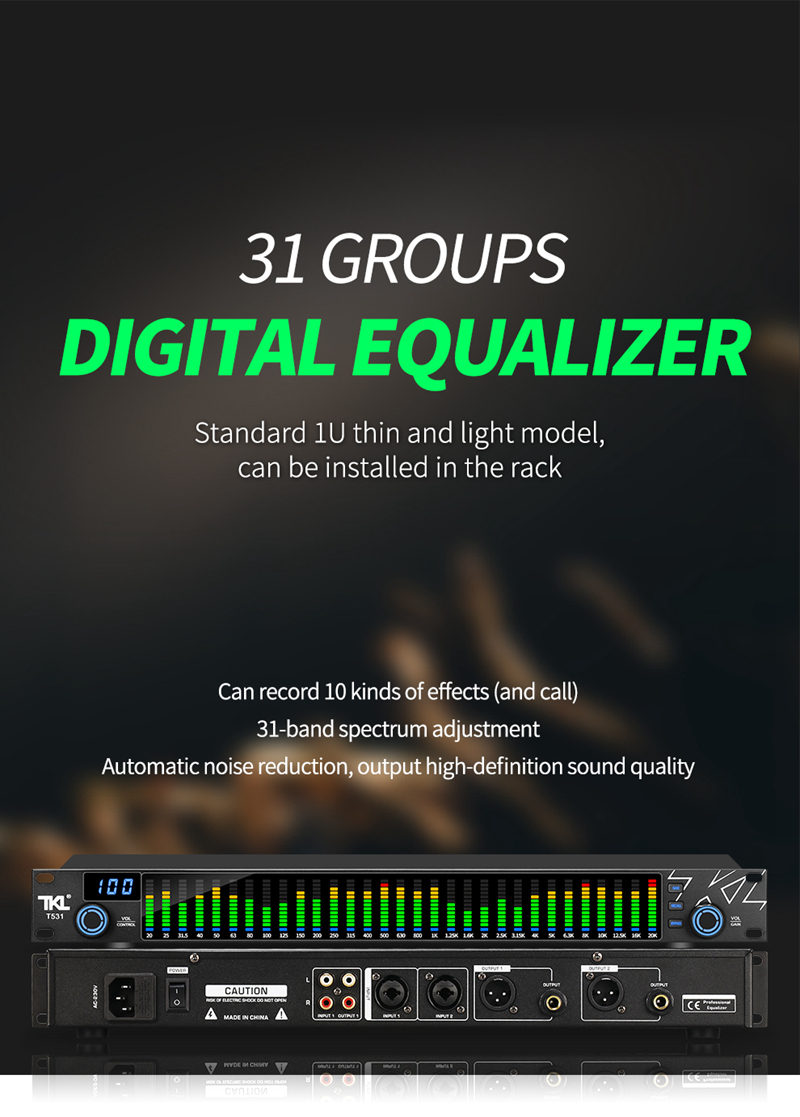

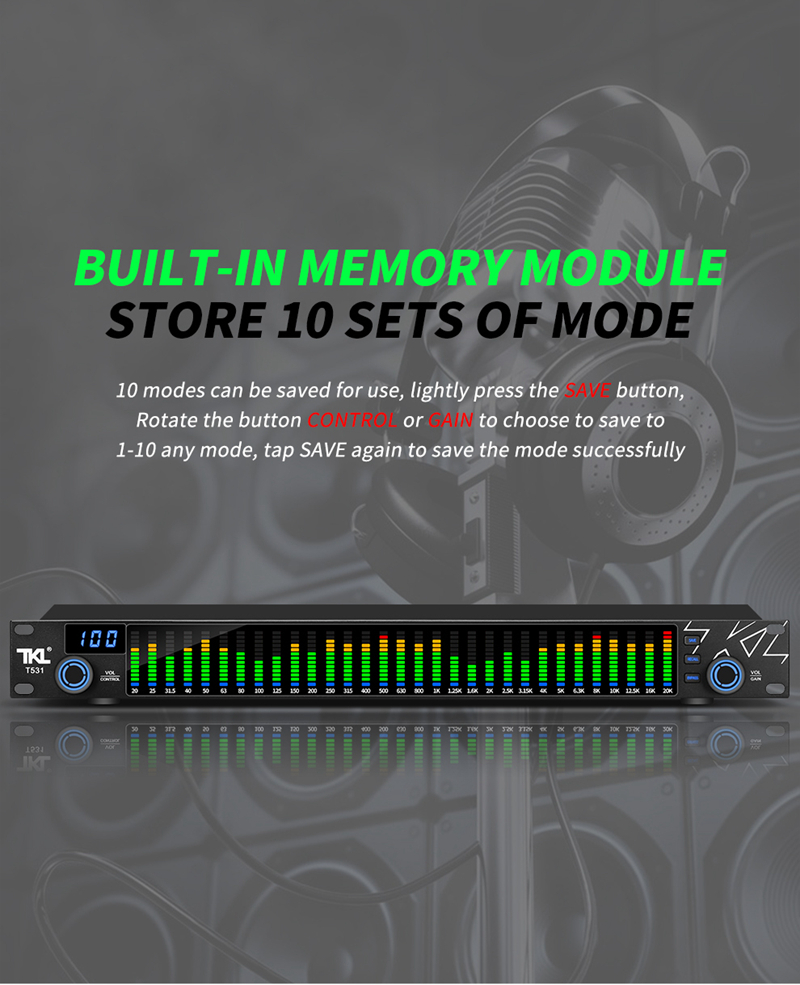
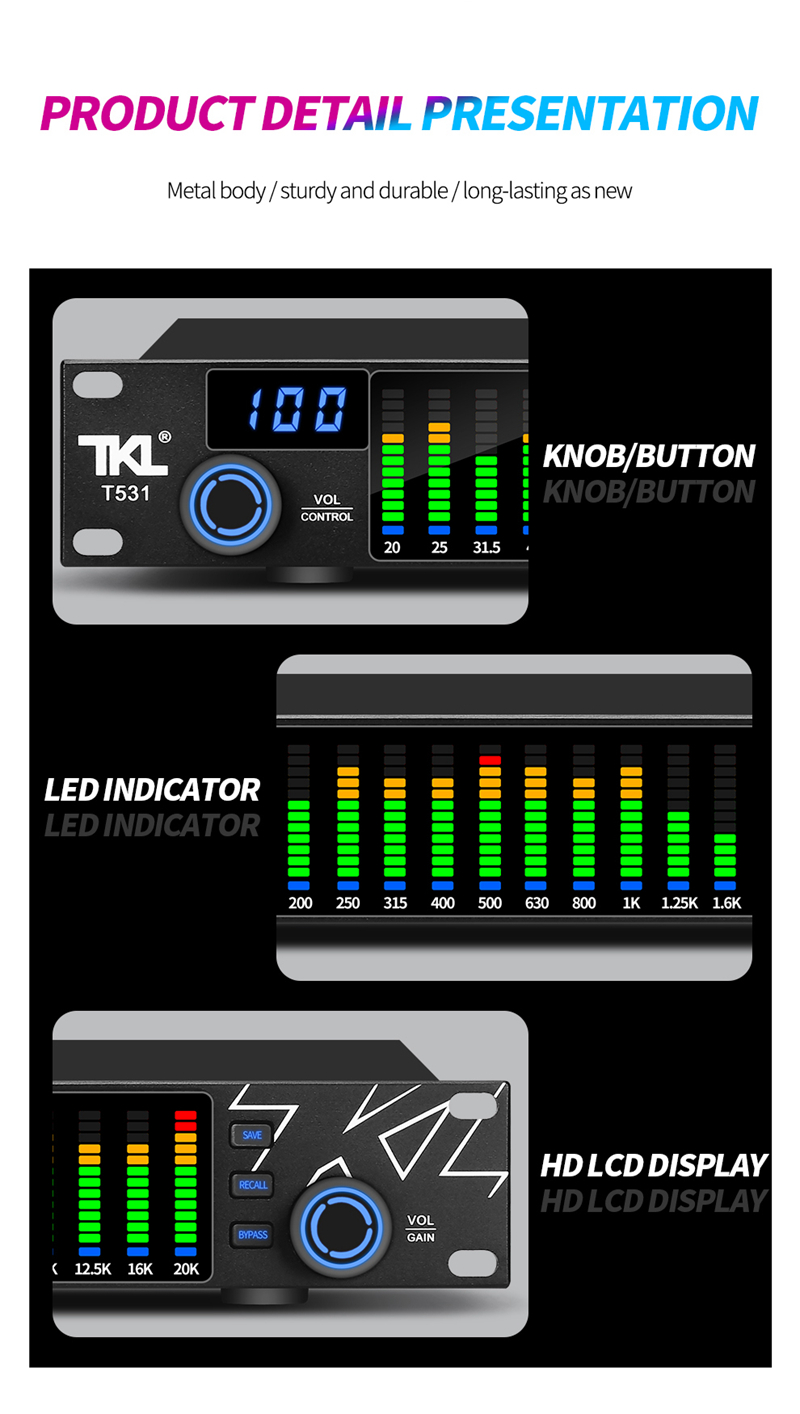
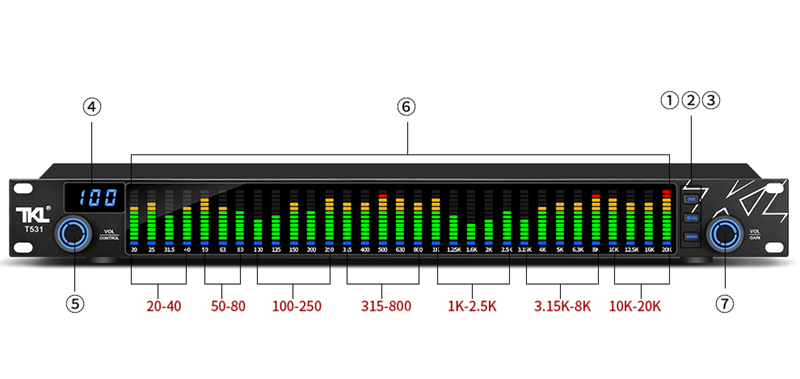
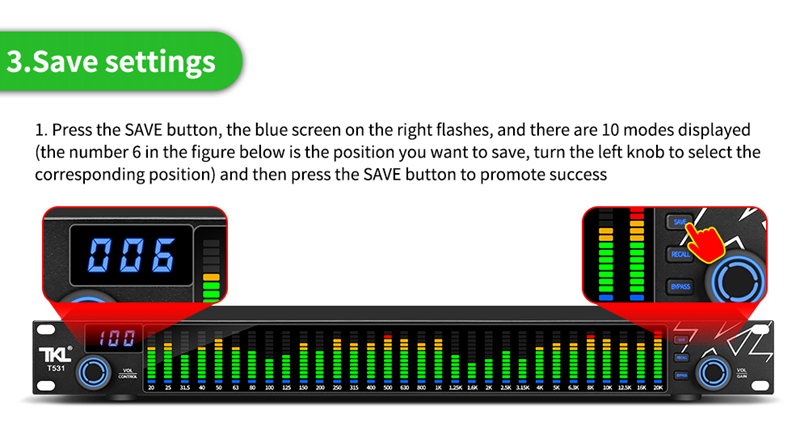
① SAVE: Save button. Press the SAVE button, and turn the knob CONTROL or GAIN to select any mode from 1-10. The screen displays numbers 1-10. After confirming the mode, press SAVE to save the mode successfully.
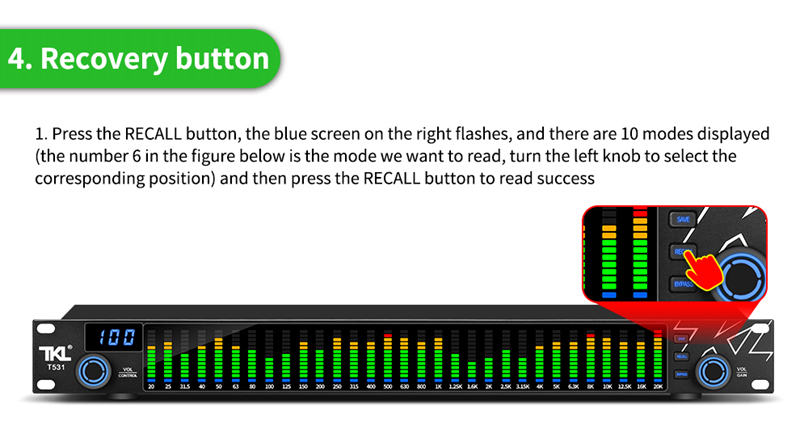
② RECALL: Recall button. Press the RECALL button, turn the knob CONTROL or GAIN to select any mechanical type from 1-10. The screen displays 1-10 number options. After confirming the mode, press RECALL to recall the mode successfully.
③ BYPASS: Pass-through button. Press the BYPASS button, the machine does not undergo any frequency band numerical adjustment, the screen displays -, and the current state is the pass-through function. Press the button again to cancel the pass-through function.
④ LCD display: Display the volume of the signal passing through the machine 01-100, save and recall mode 0-10, gain attenuation ±18db value, - through state.
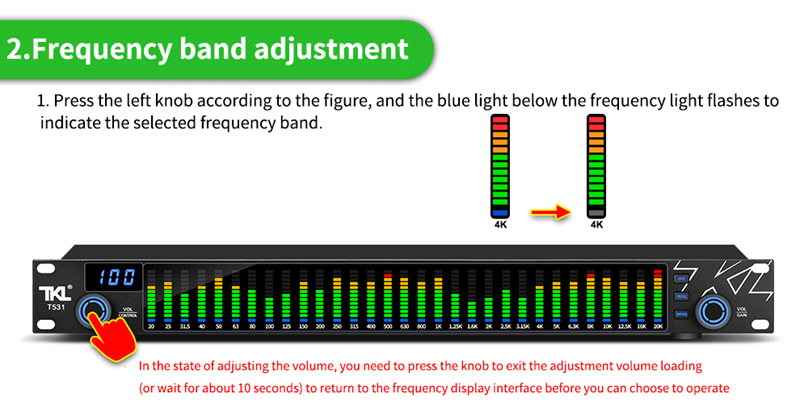
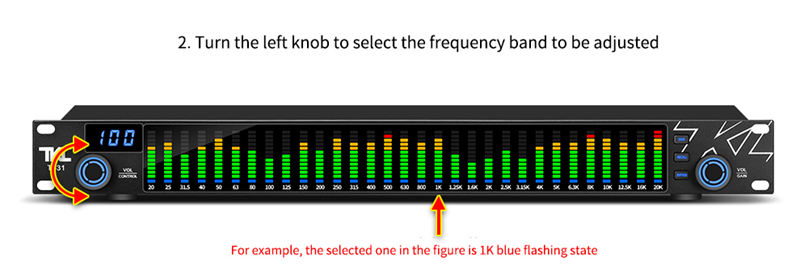
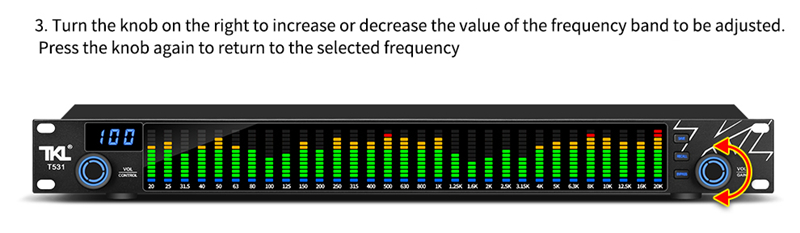
⑤ CONTROL: System control knob. When the machine is stationary, turn the CONTROL knob to adjust the volume of the machine. Press the CONTROL knob to start frequency band parameter adjustment. Rotate the knob to jump to the 20-20K frequency band, and the blue light under the corresponding frequency band on the panel will flash. Rotate the GAIN knob to increase or decrease.
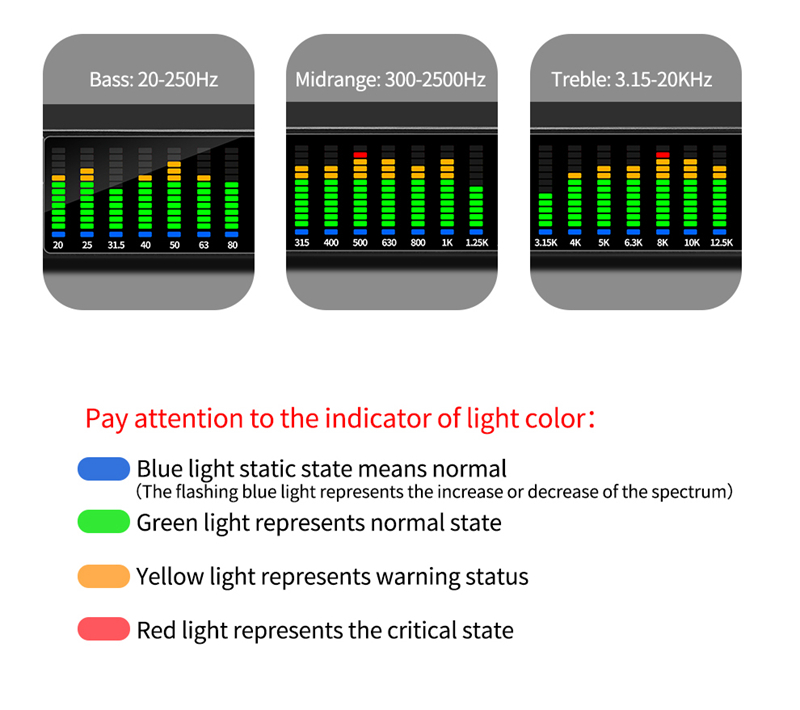
⑥ 20db-20K: 31-segment spectrum display light. 20db-20K frequency band selection. When the signal is input, the 31-segment signal light will change according to the corresponding frequency band signal. The green light indicates normal status. The yellow light indicates the warning state. The red light indicates the imminent state. The static state of the blue light represents normal. The flashing blue light means that the frequency band parameters can be attenuated and adjusted.
⑦ GAIN: Parameter gain attenuation knob. When the machine is stationary, turn the GAIN knob to adjust the machine volume. Press the GAIN knob to start frequency band parameter adjustment. Rotate the knob to jump to the 20-20K frequency band, and the blue light below the corresponding frequency band on the panel will flash. It can be attenuated by turning the GAIN knob to increase, and it will automatically exit this function without any operation after blinking for 8 seconds.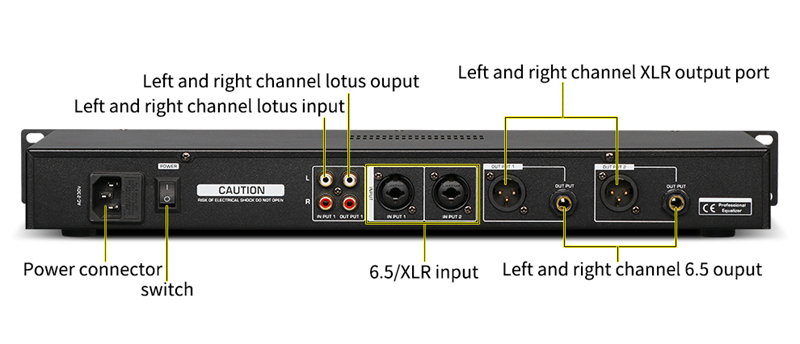
Equalizer Operation Instructions: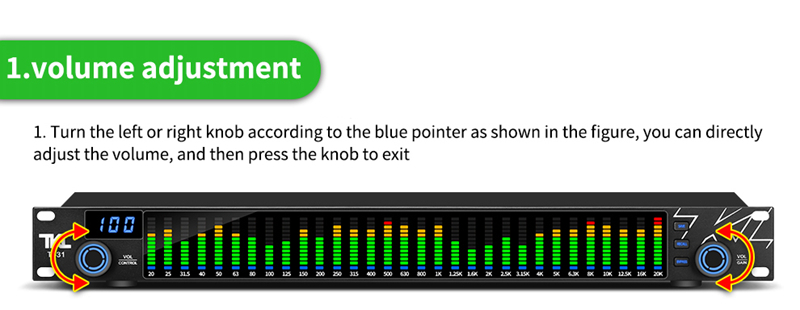
We accept the following forms of payment:
Credit Card (Visa, MasterCard, American Express, JCB)
PayPal
Bank Transfer (Please contact us Hamgeek@163.com for details)
Delivery and Shipping Fee
Shipping Services & Shipping Fee
Orders will be shipped by 4PX(10-20days Delivery time),if you need ship by Express shipping etc. DHL,FeDex,UPS,Please pay extra fee . Due to air transportation restrictions, package only contains battery is not accept by shipping company.
If your order does not qualify for free shipping,our service department will contact you for shipping fee details within 2 days after order placed.
Shipping Notice
For special shipping requests, please contact service department by email (HamGeek@163.com) or whatsapp. Please confirm your address before payment. If you enter the wrong address, please contact us in a timely manner. We will contact logistics personnel to solve the problem. If you ask to change the address after the order has been shipped, we cannot guarantee that your order will be updated. In addition, you are responsible for all possible risks and expenses caused by changing the address after the order has been shipped.
When you place an order, be sure to enter the correct name, address, and contact information so that we can deliver your items successfully.If you need order to be shipped by Express or the package weight is over 2kg that only can be sent by Express shipping,Please offer VAT number before order processed.
Delivery Time
Total delivery time is composed of two parts: processing time and actual shipping time.
Processing time refers to the time from when your payment is received to when we collect and pack your order. Our processing takes 1-2 working days normally. The second part is the actual shipping time. This is the time that it takes for the package to be delivered by the couriers to the major destination. All goods will be shipping via air mail.
Please make sure the Zip code and city name is correct( corresponding), otherwise the order processing will be delayed untill correct information provided.
In order to process your order quickly, we strongly recommend you to use the same address for your shipping address and billing address. Otherwise, your order will bedelayed for further verification.
Tariff or Customs Duties
All listings's price not included the tariff or customs duties as this part of fee various in different countries,if you have any requirments of decleration value, please contact us before order processed.